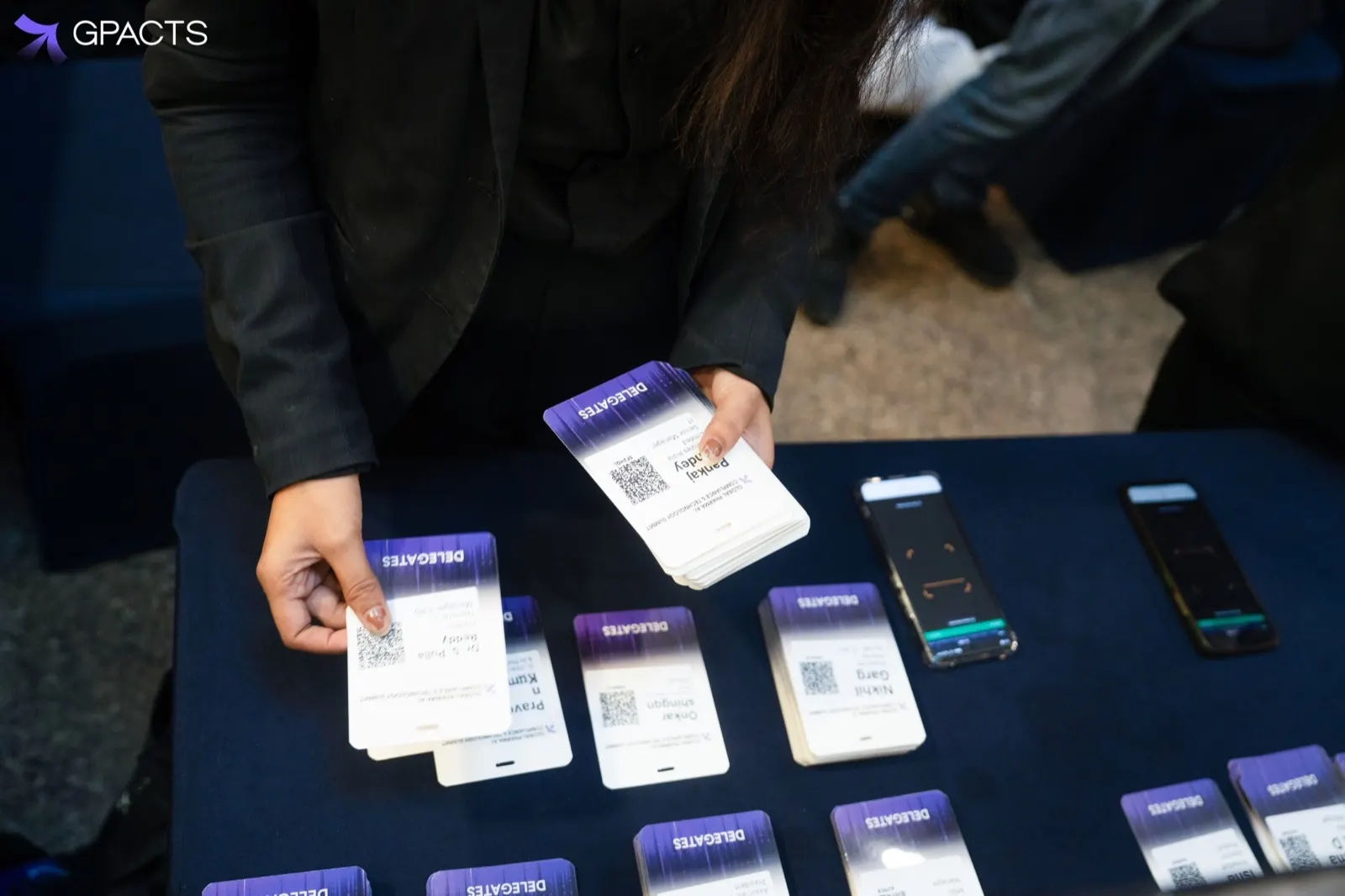
A badge has two jobs: tell people who you are from across a room, and scan cleanly at a session door. Most scan problems come from design choices, not the scanner.
QR code basics
- Print the code at least 2.5 cm wide on a standard badge
- Keep a clear margin around it, with no text or graphics touching the edge
- Use black on white; avoid brand colours or gradients behind the code
- Place it where a lanyard, clip or fold will not cover it
Names people can read
First names should be the largest text on the badge, readable at two metres. Put the company on its own line in a smaller size. Test long names early; a badge that works for “Priya Nair” should also work for a 30-character name without shrinking to nothing.
Use colour for roles
A coloured band for Delegate, Speaker, Exhibitor and Press lets staff check access at a glance. Pick colours that still differ when printed on a thermal printer or in grayscale.
Print stock and printers
Thermal and direct-to-card printers each need matching stock. Run a test batch on the exact stock and printer you will use on the day, and scan every test badge at the session scanners.
Ten minutes of testing the week before saves an hour of reprints at the desk.
Common questions
How big should the QR code be on an event badge?
At least 2.5 cm wide on a standard badge. Keep a clear margin around it, with nothing touching the edge, print it black on white rather than over brand colours or gradients, and place it where a lanyard, clip or fold will not cover it. Most scan problems come from design choices, not the scanner.
How should names be laid out on a conference badge?
Make the first name the largest text on the badge, readable at two metres, and put the company on its own line in a smaller size. Test long names early: a layout that works for “Priya Nair” should also fit a 30-character name without shrinking to nothing.
How do you test badges before the event?
Run a test batch on the exact stock and printer you will use on the day, then scan every test badge at the session scanners. Thermal and direct-to-card printers each need matching stock. Ten minutes of testing the week before saves an hour of reprints at the desk.